W-2 vs. 1099 Workers: Which Is Better For Your Small Business

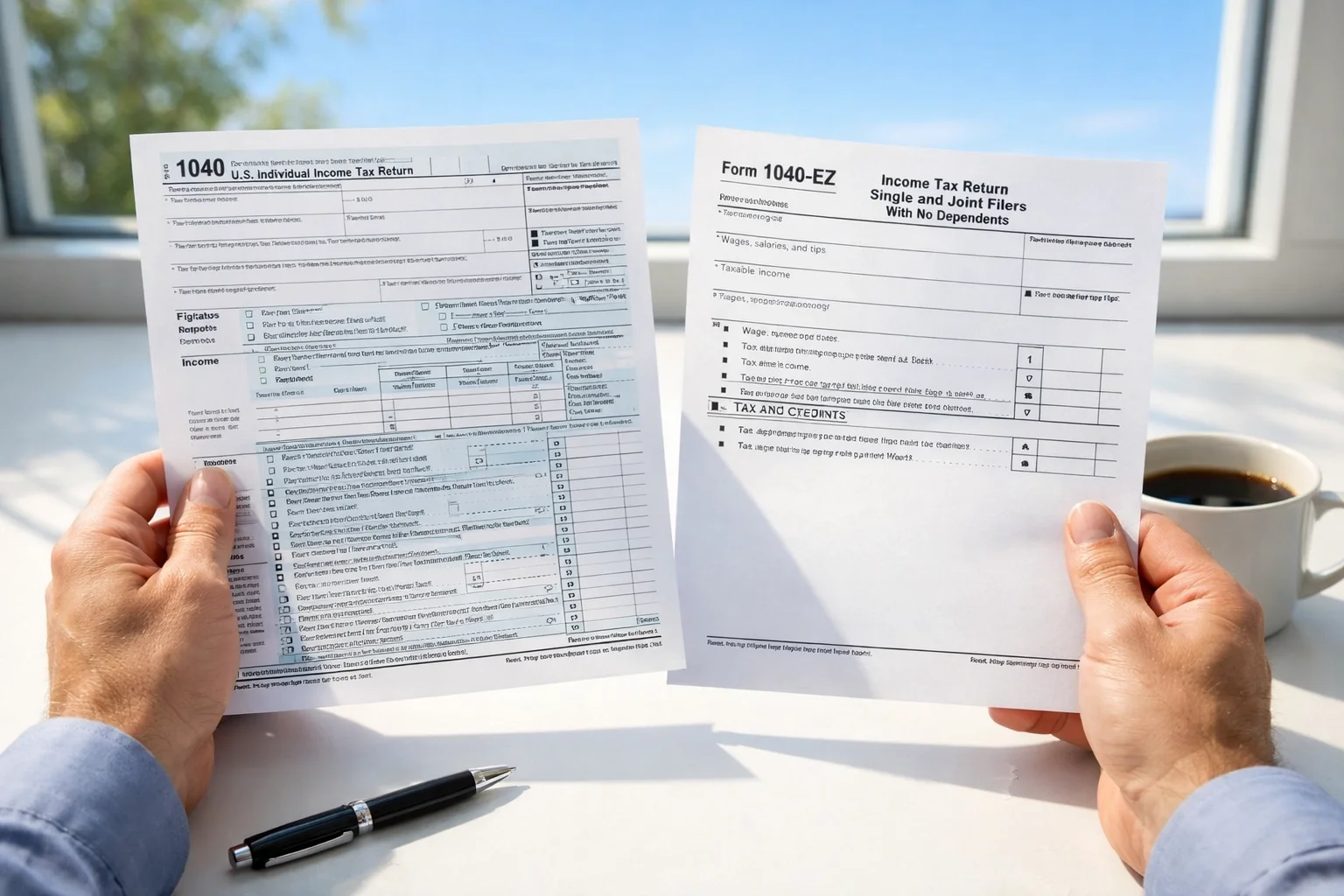
You're growing your business, congrats! But now you're facing a big decision: should you hire W-2 employees or bring on 1099 independent contractors?
This isn't just a paperwork question. The choice affects your bottom line, your tax obligations, your legal liability, and how much control you have over getting the work done right. And if you make the wrong call? Hello, IRS penalties and compliance headaches.
Let's break down the difference between W-2 and 1099 workers so you can make the smartest choice for your business, and understand how we can handle the payroll complexity for you, no matter where you're located.
What's the Difference Between W-2 and 1099 Workers?
W-2 Employees are people on your payroll. You withhold their income taxes, pay your share of payroll taxes, and have control over when, where, and how they work. At the end of the year, you issue them a W-2 form showing their wages and withholdings.
1099 Independent Contractors are self-employed individuals you hire for specific projects or services. They handle their own taxes, set their own schedules, and generally work how they see fit. If you pay them $600 or more in a year, you'll issue a 1099-NEC form, but that's the extent of your tax responsibility for them.
Think of it this way: employees are part of your team, while contractors are running their own business and you're just a client.

The "Control" Factor: The IRS Is Watching
Here's the real deciding factor the IRS uses to determine whether someone should be classified as a W-2 employee or a 1099 contractor: control.
Do you control how, when, and where the work gets done? If yes, that person is likely an employee.
Signs someone is a W-2 employee:
You set their work hours and schedule
You provide training on how to do the job
You supply equipment, tools, or software
You dictate the methods and processes they use
They work exclusively (or primarily) for your business
The relationship is ongoing and indefinite
Signs someone is a 1099 contractor:
They set their own hours and work location
They use their own tools and equipment
They have specialized expertise you don't need to train
They serve multiple clients, not just you
The relationship is project-based with a clear start and end date
They control how they complete the work, you just define the outcome
Misclassifying workers isn't just a paperwork mistake, it can trigger back taxes, penalties, and even lawsuits. When in doubt, err on the side of W-2 classification, or better yet, let us help you navigate the rules.
The Real Cost: It's More Than Just Hourly Pay
One of the biggest myths? That 1099 contractors are always cheaper because you don't pay taxes or benefits. Not so fast.
W-2 Employee Costs
Yes, W-2 employees come with extra costs beyond their base salary:
Payroll taxes: You pay 7.65% for Social Security and Medicare (the employee pays another 7.65%)
Unemployment insurance: Federal and state unemployment taxes
Workers' compensation insurance: Required in most states
Benefits: Health insurance, retirement contributions, paid time off
Equipment and workspace: Computers, desks, software licenses
Training and onboarding: Time and resources to get them up to speed
When you add it all up, the total cost of a W-2 employee is typically 20-30% more than their base pay.
1099 Contractor Costs
Contractors typically charge 40-50% more per hour than what an equivalent W-2 employee would earn. Why? Because they're covering their own taxes (the full 15.3% self-employment tax), health insurance, retirement, equipment, and the gaps between projects.
Example: If you'd pay a W-2 employee $20/hour, expect to pay a 1099 contractor $28-30/hour for the same work.
The catch? For long-term, consistent work, W-2 employees become more cost-effective because contractors' higher rates eventually outweigh the benefits and tax savings.
Bottom line: Use 1099 contractors for short-term, specialized projects. Use W-2 employees for core, ongoing roles.

Tax Implications for You as the Employer
Let's talk taxes: because this is where things get real.
With W-2 Employees, You Handle:
Withholding federal and state income taxes from every paycheck
Matching payroll taxes: 7.65% for Social Security and Medicare
Filing quarterly payroll tax returns (Form 941)
Paying federal and state unemployment taxes
Issuing W-2 forms by January 31st each year
Managing year-end payroll tax reconciliation
It's a lot. And if you mess up withholding or miss a deadline? The penalties add up fast.
With 1099 Contractors, You Handle:
Issuing 1099-NEC forms if you paid them $600+ during the year
That's it
Contractors pay their own estimated taxes quarterly, including the full 15.3% self-employment tax. They also get to deduct business expenses like home office costs, mileage, and equipment: benefits W-2 employees generally can't claim.
Sounds easier, right? It is: if the person truly qualifies as a contractor. Misclassify someone, and you could be on the hook for all the payroll taxes you should have been paying, plus penalties and interest.
Pros and Cons: Quick Reference
W-2 Employees
Pros:
More control over how and when work gets done
Build a loyal, committed team
Easier to train and integrate into your company culture
Legal protections for them mean less risk for you in certain situations
More cost-effective for consistent, long-term roles (30+ hours/week)
Cons:
Higher overhead: taxes, benefits, insurance, equipment
More administrative work: payroll, tax filings, compliance
Less flexibility to scale up or down quickly
Legal obligations: minimum wage, overtime, family leave, workers' comp

1099 Contractors
Pros:
Lower administrative burden (no payroll taxes or withholding)
Flexibility to bring in specialized expertise as needed
Scale your workforce up or down without long-term commitments
No obligation to provide benefits or paid time off
Cons:
Higher hourly rates (typically 40-50% more than equivalent W-2 pay)
Less control over how work gets done
No guarantee of availability when you need them
Risk of misclassification if you treat them like employees
The Misclassification Trap: Don't Go There
Here's a scenario we see too often: a business owner hires someone as a "contractor" to save on taxes, but then treats them exactly like an employee: setting their schedule, providing training, requiring them to work on-site, and keeping them around indefinitely.
That's misclassification, and it's a big problem.
The IRS, Department of Labor, and state agencies are cracking down on this. If you're caught, you could face:
Back payment of payroll taxes you should have withheld
Penalties and interest on those unpaid taxes
Fines for not providing workers' comp insurance
Legal claims for unpaid overtime or benefits
Audits that dig into all your worker classifications
If someone is doing the work of an employee, pay them as an employee. Period.
How We Handle the Payroll Complexity for You
Whether you choose W-2 employees, 1099 contractors, or a mix of both, we've got your back.
At Leo Aguilera Balanced Books, we take the stress out of payroll and tax compliance:
For W-2 Employees:
Process payroll accurately and on time
Calculate and withhold all federal, state, and local taxes
File quarterly and annual payroll tax returns
Handle unemployment insurance and workers' comp reporting
Issue W-2 forms by the deadline
Keep everything compliant so you can sleep at night
For 1099 Contractors:
Track payments throughout the year
Ensure accurate 1099-NEC filing by January 31st
Help you avoid misclassification issues with proper documentation
Nationwide Service, Cloud-Based Convenience:
No matter where your business is located, we can manage your payroll and tax obligations remotely using secure, cloud-based technology. You get expert service without geographical limits: just reliable, accurate bookkeeping and payroll management from a team that knows the rules inside and out.
Making the Right Choice for Your Business
So, which is better: W-2 or 1099?
The honest answer: it depends on your needs.
Need consistent work done your way? Hire W-2 employees.
Need specialized skills for a short-term project? Bring on 1099 contractors.
Building a core team? Go W-2.
Testing out a new role or service? Start with 1099.
And whatever you choose, don't try to DIY your way through payroll taxes and compliance. The rules are complicated, the penalties are steep, and your time is better spent running your business.
Let us handle the numbers while you focus on growth. We'll make sure your payroll is accurate, your taxes are filed on time, and your classifications are bulletproof.
Ready to simplify your payroll? Get in touch with us today for a FREE consultation. We'll show you exactly how we can take payroll off your plate (no matter where you're located.)
Are You Making These Common QuickBooks Bookkeeping Mistakes?
QuickBooks is an incredible tool: when used correctly. But here's the thing: even the smartest business owners can fall into bookkeeping traps that turn their financial records into a tangled mess. We see it all the time in our work with clients across the country, and the good news? Most of these mistakes are completely fixable.
Whether you're running your books solo or working with a bookkeeper, knowing what to watch out for can save you hours of cleanup, thousands in tax deductions, and a whole lot of stress come April. Let's walk through the most common QuickBooks mistakes we encounter: and how to avoid them.
1. Mixing Personal and Business Expenses
This is hands-down one of the most common mistakes we see, especially with newer business owners. You grab lunch and use your business card. Then you swing by Target and use the same card for household items. Before you know it, your business expenses include diapers, dog food, and a new coffee maker for your kitchen.
Here's why this matters: mixing personal and business transactions makes it nearly impossible to get an accurate picture of your business profitability. It also creates headaches during tax time and can raise red flags if you're ever audited.
The fix: Keep separate bank accounts and credit cards for business and personal use: no exceptions. If you accidentally use the wrong card, categorize that transaction as an "Owner's Draw" or "Personal Expense" in QuickBooks rather than trying to justify it as a business expense. Your accountant (and your stress levels) will thank you.

2. Duplicate Entries (The Bank Feed Trap)
Bank feeds are one of QuickBooks' best features: until they become your worst nightmare. Here's the classic scenario: you create an invoice, the client pays, and the payment shows up in your bank feed. Instead of matching that deposit to your existing invoice, you accidentally add it as brand-new income. Congratulations, you've just doubled that revenue in your books.
The same thing happens with bills. You enter a bill in QuickBooks, pay it, and then when the transaction comes through your bank feed, you record it again as a new expense. Now you've paid that vendor twice: at least according to your books.
Why this hurts: Duplicate entries inflate your income and expenses, throw off your profit margins, and can lead to serious tax miscalculations. You might think you made more (or spent more) than you actually did.
The fix: Always use the "Match" or "Find Match" function in your bank feeds. When you see a transaction that corresponds to an existing invoice or bill, match it instead of adding it as new. Take a few extra seconds to review each transaction before clicking "Add": it'll save you hours of cleanup later.
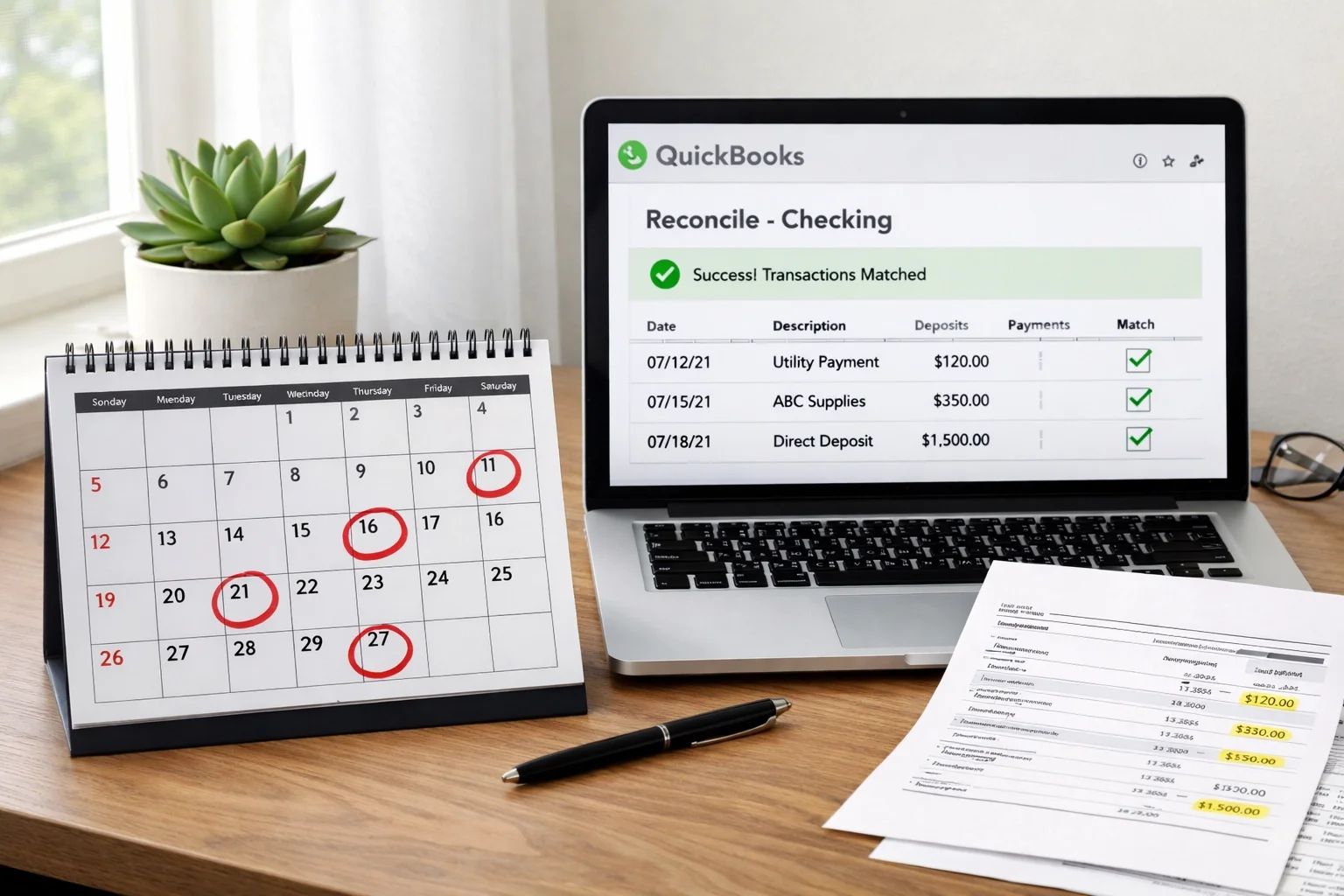
3. Forgetting to Reconcile (Or Doing It Wrong)
If we had a dollar for every time a new client told us, "I haven't reconciled in six months," we'd be writing this from a beach somewhere. Reconciliation is the process of making sure your QuickBooks records match your actual bank statements: and it's non-negotiable.
When you skip reconciliation, you miss errors. Duplicates slip through. Transactions get coded to the wrong month. And that little "Reconciliation Discrepancy" adjustment that QuickBooks suggests? That's not fixing the problem: it's sweeping it under the rug.
The fix: Reconcile every account, every month. Mark your calendar. Set a reminder. Make it a ritual with your morning coffee. And when your beginning balance doesn't match, don't just force it to balance with an adjustment: dig in and find the actual discrepancy.
Once you've reconciled a period, lock it using QuickBooks' "Close the Books" feature. This prevents accidental changes to past months that would throw off your reconciliations going forward.

4. Incorrect Categorization of Transactions
This one seems minor until tax time rolls around and your accountant asks why you have $15,000 in "Office Supplies" and nothing in "Advertising." Miscategorizing transactions: or worse, posting everything to generic catch-all accounts: makes your financial reports practically useless.
Common categorization mistakes include:
Recording loan payments as expenses (instead of splitting between principal and interest)
Posting owner withdrawals as business expenses
Mixing up similar expense categories inconsistently
Recording asset purchases as expenses instead of capitalizing them
Why it matters: Your Profit & Loss statement should tell you exactly where your money is going. If half your expenses are in "Miscellaneous" or the wrong category, you can't make informed decisions about your business. Plus, you might miss out on legitimate tax deductions or trigger audit flags by claiming expenses incorrectly.
The fix: Keep your Chart of Accounts clean and simple. Create clear categories that make sense for your business, and use them consistently. When in doubt, ask yourself: "If I'm looking at this six months from now, will I know what this transaction actually was?"
And here's a pro tip: assign a vendor or customer name to every transaction. It makes tracking patterns and catching errors so much easier.
5. Not Matching Deposits to Invoices
This mistake is a close cousin of the duplicate entry problem, but it deserves its own spotlight. You send an invoice to a client, they pay it, and when the deposit hits your bank account, you record it as new income without connecting it to the original invoice.
The result? QuickBooks thinks the invoice is still unpaid. Your Accounts Receivable report shows money you've already collected. You might even try to bill the client again because the system says they owe you. Talk about awkward.
The fix: When recording deposits in QuickBooks, always use the "Receive Payment" function and match it to the corresponding invoice. When you see deposits in your bank feed, look for the invoice it's linked to before adding it. This keeps your A/R accurate and your client relationships smooth.
How We Can Help Clean Up the Mess
Look, we get it. QuickBooks is powerful software, but it's not always intuitive. These mistakes don't mean you're bad at business: they just mean you have better things to do than become a bookkeeping expert.
That's where we come in. As QuickBooks Advanced Certified ProAdvisors for both QuickBooks Online and QuickBooks Desktop, we've seen every flavor of bookkeeping mess imaginable: and we know exactly how to fix them. From our office in Montague, Michigan, we work with clients nationwide to clean up their books, implement proper systems, and keep everything running smoothly month after month.
Whether you need a one-time cleanup to fix past mistakes or ongoing monthly bookkeeping to prevent future ones, we've got you covered. We'll reconcile your accounts, catch duplicates, properly categorize transactions, and give you financial reports you can actually trust.
The Bottom Line
QuickBooks mistakes are common, frustrating, and completely preventable with the right systems in place. If any of these issues sound familiar, you're not alone: and you don't have to figure it out by yourself.
Clean books aren't just about staying organized: they're about making better business decisions, keeping more of your hard-earned money at tax time, and sleeping better at night knowing your financials are accurate.
Ready to get your QuickBooks back on track? Reach out to us for a FREE consultation. We'll take a look at where things stand and show you exactly how we can help. Because you've got a business to run( let us handle the books.)
Months Behind on Your Books? 5 Steps to Catch Up on Bookkeeping Fast

Let's be honest, life happens. You started the year with the best intentions to stay on top of your bookkeeping, but then orders started rolling in, employees needed management, and suddenly it's months later and your books look like a crime scene. We've seen it a hundred times, and here's the good news: you're not alone, and it's totally fixable.
Whether you're three months behind or closer to a year, catching up on your bookkeeping doesn't have to feel like climbing Mount Everest. It just takes a clear plan, a bit of discipline, and maybe some help from people who do this stuff for a living (hint: that's us). Let's walk through the five steps you need to get your financial records back on track, fast.
Step 1: Gather Every Financial Document You Can Find
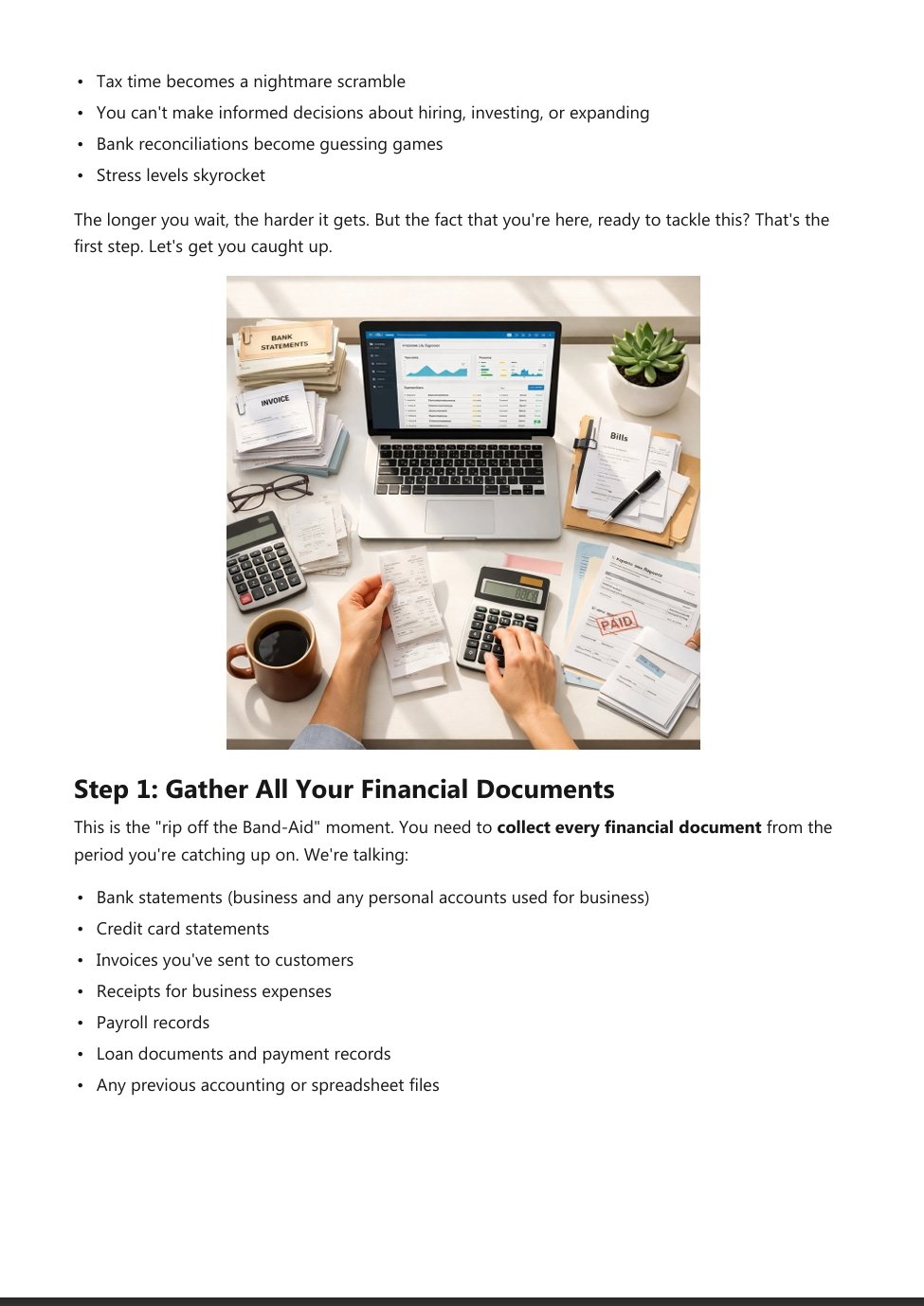
Before you can fix anything, you need to know what you're working with. This means rounding up every single financial document from the months you're behind on. We're talking:
Bank statements (business accounts)
Credit card statements (business cards)
Receipts (physical or digital)
Invoices sent to customers
Bills from vendors
Payroll records if you have employees
If you're still drowning in paper receipts, now's the time to go digital. Snap photos with your phone or scan them into your accounting software. Create folders organized by month so you're not digging through a shoebox when tax season rolls around.
Pro tip: Log into your online banking and download statements for all the months you need. Most banks let you pull statements going back at least a year, sometimes more. Do this first, it'll give you a roadmap of what happened financially, even if you can't remember half of it.

Step 2: Separate Personal from Business Expenses
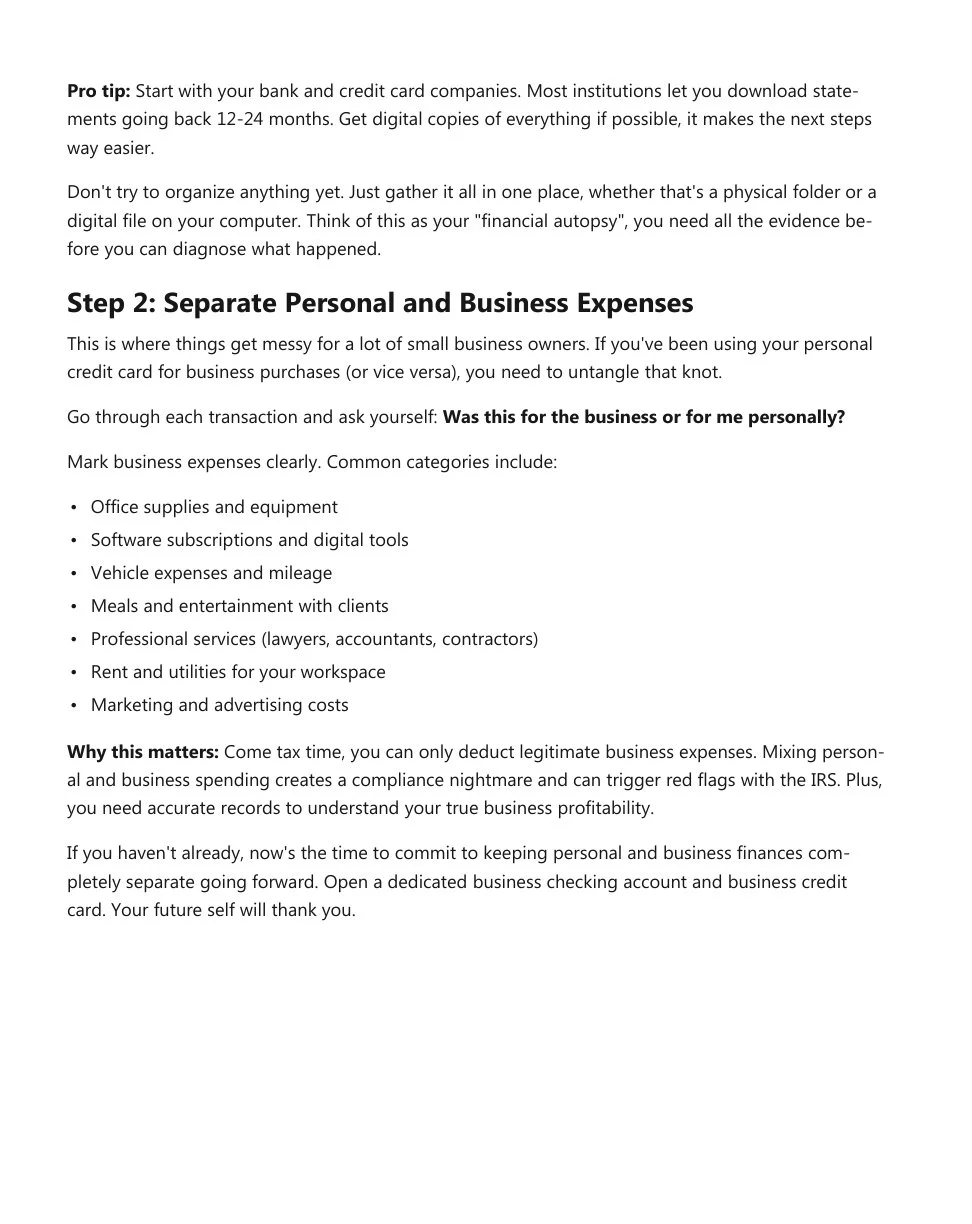
Here's where a lot of small business owners get tripped up: mixing personal and business spending. Maybe you grabbed lunch on your business card. Maybe you paid a vendor from your personal checking account because it was just easier in the moment. It happens.
But now you've got to untangle it all, and the IRS is very particular about keeping these things separate. Go through your statements line by line and flag anything that was personal spending. If you accidentally used your business account for groceries or a family dinner, mark it as an owner's draw or personal expense, not a business deduction.
Why does this matter so much? Because when tax time comes, you need clean records that show exactly what your business spent money on. Mixing personal expenses into your business books can trigger red flags during an audit and cost you way more in the long run than it's worth.
If you've been using the same account for everything, it's time to open a dedicated business checking account and stop the madness. Trust us, your future self (and your accountant) will thank you.
Step 3: Reconcile Month-by-Month
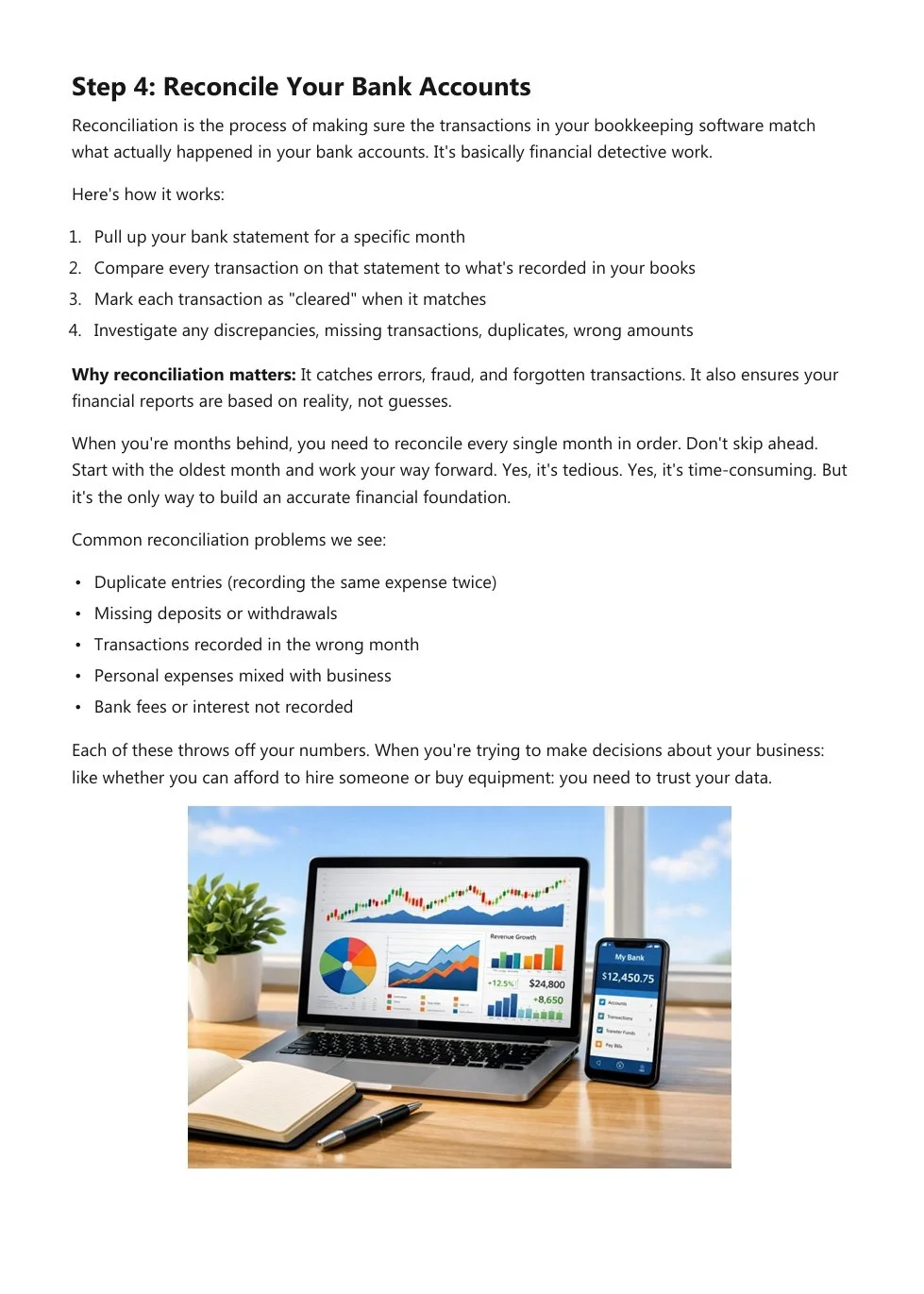
Alright, now comes the part that feels tedious but is absolutely critical: reconciliation. This means comparing your bank and credit card statements to what's recorded in your accounting software (or spreadsheet, if that's how you roll).
Start with the oldest month you're behind on and work your way forward. For each month, you're looking for:
Missing transactions that happened but never got entered
Duplicate entries where you accidentally recorded the same expense twice
Incorrect amounts that don't match your actual statements
Bank reconciliation is like double-checking your math. It ensures that what you think happened financially actually matches reality. And here's the thing: errors compound fast. A $200 mistake in January turns into a $2,400 problem by December if you never catch it.
We specialize in monthly reconciliation and general ledger maintenance for exactly this reason. Staying on top of it monthly prevents the overwhelm of catching up all at once. But if you're already behind, reconciling month-by-month ensures you don't miss anything critical.

Step 4: Categorize Everything Correctly for the IRS
Once all your transactions are entered and reconciled, it's time to make sure everything is categorized properly. This is where good bookkeeping becomes great bookkeeping: and where you either maximize your tax deductions or leave money on the table.
The IRS has specific categories for business expenses, and how you classify things matters. For example:
Office supplies
Meals and entertainment (only 50% deductible in most cases)
Travel expenses
Contractor payments (these need 1099 forms at year-end)
Equipment purchases (might need to be depreciated)
Utilities and rent
If you've been categorizing everything as "general expenses" or just guessing, now's the time to clean it up. Your accounting software likely has built-in categories that align with IRS requirements: use them.
Why this matters: Proper categorization not only keeps you compliant, but it also gives you a clear picture of where your money is actually going. You might discover you're spending way more on software subscriptions than you realized, or that your marketing budget is basically nonexistent. These insights help you make smarter business decisions moving forward.
Step 5: Know When to Call in the Pros
Here's the truth: you can catch up on your books yourself. But should you? That depends on a few things:
How far behind are you? A couple of months is manageable. Six months or more? That's a significant project.
How complex is your business? If you're a sole proprietor with a handful of transactions each month, it's easier. If you have employees, inventory, multiple revenue streams, and dozens of transactions daily, it gets complicated fast.
How much is your time worth? Every hour you spend buried in spreadsheets is an hour you're not growing your business or serving customers.
This is where our cleanup and catch-up services come in. We've helped countless Michigan business owners dig out from months (sometimes years) of backlogged bookkeeping. We handle the entire process: gathering documents, reconciling accounts, categorizing transactions, and getting your books audit-ready.
Think of it this way: you wouldn't try to perform surgery on yourself just because you technically could. Sometimes, bringing in an expert who does this every single day is the smartest move you can make.

Moving Forward: Don't Let It Happen Again
Once you're caught up (whether you do it yourself or we handle it for you), the key is staying caught up. Here's how:
Set a monthly routine. Block off time every month: ideally within the first week after month-end: to reconcile accounts, categorize transactions, and review your financial reports. Make it non-negotiable, like a client meeting.
Automate where possible. Connect your bank accounts and credit cards to your accounting software so transactions flow in automatically. You'll still need to categorize and verify, but it cuts the data entry time in half.
Review your reports. Don't just enter transactions and call it a day. Actually look at your profit and loss statement, balance sheet, and cash flow. These reports tell the story of your business's financial health.
Get help regularly. Monthly bookkeeping isn't expensive compared to the cost of errors, missed deductions, or penalties. Having a trusted bookkeeper handle the day-to-day keeps you focused on what you do best: running your business.
Let Us Handle the Heavy Lifting
If you're staring at months of unopened bank statements and feeling overwhelmed, take a breath. We specialize in exactly this kind of cleanup work. Our team knows QuickBooks inside and out (we're Advanced Certified ProAdvisors), and we've seen every bookkeeping disaster you can imagine: and fixed them all.
Whether you need a one-time catch-up or ongoing monthly support, we're here to deliver accurate, reliable bookkeeping that gives you peace of mind. You'll get clean books, clear financial reports, and the confidence that comes from knowing your numbers are right.
Ready to get your books back on track? Reach out to us today for a free consultation. Let's talk about where you're at, what you need, and how we can help you catch up fast( so you can get back to running your business.)
Are You Making These Common QuickBooks Bookkeeping Mistakes?

QuickBooks is an incredible tool, when it's set up correctly and used the right way. But here's the thing: even the most powerful software can't save you from common bookkeeping mistakes that creep into your records month after month.
We see it all the time. Smart, hardworking business owners who think their books are in decent shape... until tax season rolls around or they need to make a big financial decision. That's when the cracks start to show.
As QuickBooks Advanced Certified ProAdvisors, we've helped dozens of Michigan small businesses clean up these exact messes. And honestly? Most of them could have been avoided with a few simple habits.
Let's walk through the most common QuickBooks mistakes we see, and more importantly, how to fix them before they cost you time, money, or an IRS headache.
Mistake #1: Mixing Personal and Business Funds
This one's a killer, and it happens more often than you'd think.
You grab lunch on your personal credit card but it was technically a business meeting. Or you transfer money from your business account to cover personal expenses "just this once." Before you know it, your business and personal finances are completely tangled together, what accountants call commingling of funds.
Here's why this matters: when your personal and business transactions are mixed in QuickBooks, your financial reports become meaningless. You can't accurately track profit, you can't see true cash flow, and come tax time, you're stuck trying to separate everything out by hand.
Even worse? If you're an LLC or corporation, commingling funds can actually pierce your corporate veil, meaning you could lose the legal protection that separates your personal assets from business liabilities.
The fix: Set up separate bank accounts and credit cards for your business. Period. And if you absolutely need to pay for something personal with business funds (or vice versa), record it properly as an owner draw or capital contribution, not as a business expense.
QuickBooks is an incredible tool, when it's set up correctly and used the right way. But here's the thing: even the most powerful software can't save you from common bookkeeping mistakes that creep into your records month after month.
We see it all the time. Smart, hardworking business owners who think their books are in decent shape... until tax season rolls around or they need to make a big financial decision. That's when the cracks start to show.
As QuickBooks Advanced Certified ProAdvisor’s, we've helped dozens of Michigan small businesses clean up these exact messes. And honestly? Most of them could have been avoided with a few simple habits.
Let's walk through the most common QuickBooks mistakes we see, and more importantly, how to fix them before they cost you time, money, or an IRS headache.
Mistake #1: Mixing Personal and Business Funds
This one's a killer, and it happens more often than you'd think.
You grab lunch on your personal credit card, but it was technically a business meeting. Or you transfer money from your business account to cover personal expenses "just this once." Before you know it, your business and personal finances are completely tangled together, what accountants call commingling of funds.
Here's why these matters: when your personal and business transactions are mixed in QuickBooks, your financial reports become meaningless. You can't accurately track profit, you can't see true cash flow, and come tax time, you're stuck trying to separate everything out by hand.
Even worse? If you're an LLC or corporation, commingling funds can actually pierce your corporate veil, meaning you could lose the legal protection that separates your personal assets from business liabilities.
The fix: Set up separate bank accounts and credit cards for your business. Period. And if you absolutely need to pay for something personal with business funds (or vice versa), record it properly as an owner draw or capital contribution, not as a business expense.

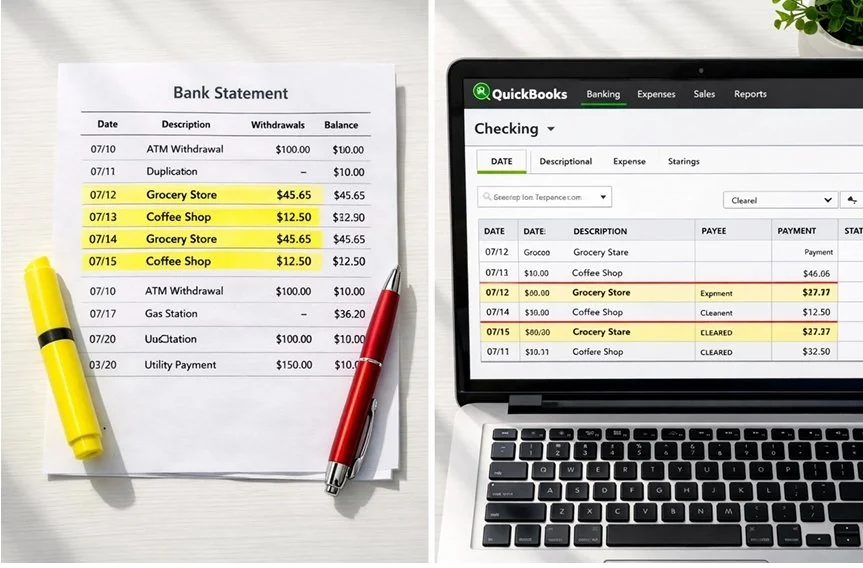
Mistake #2: Creating Duplicate Entries
This is the sneakiest mistake on the list, and it usually stems from QuickBooks' bank feed feature.
Here's the typical scenario: you manually enter a bill payment or write a check in QuickBooks. Then, a few days later, that same transaction shows up in your bank feed. Without thinking, you add it again, boom, duplicate entry.
Now your expenses are inflated, your bank balance doesn't match your actual account, and your profit looks worse than it actually is. Multiply this by dozens of transactions, and suddenly your books are a total mess.
The fix: When reviewing your bank feeds, look carefully at the "Match" column. QuickBooks will usually suggest matching transactions if it finds them. If you see a match, click it, don't create a new transaction.
Also, consider whether you really need to enter things manually if you're using bank feeds. For many businesses, it's easier to let transactions import automatically and then categorize them, rather than entering everything twice.
Mistake #3: Skipping Reconciliations (or Thinking Your Bank Balance Is Enough)
Let's be real: reconciling your accounts isn't fun. It's tedious. It takes time. And if your bank balance looks "about right," it's tempting to skip it.
But here's what we tell every client: reconciliation is your safety net. It's how you catch duplicate entries, missing transactions, and bank errors before they snowball into bigger problems.
When you reconcile, you're comparing your QuickBooks records against your actual bank statement to make sure everything matches. If it doesn't? That's your red flag to dig in and figure out what went wrong.
Think of it this way: your bank balance only tells you how much cash you have right now. Your properly reconciled QuickBooks file tells you how much you actually earned, where your money went, and whether your books are trustworthy.
The fix: Reconcile every account, checking, savings, credit cards, every single month. We recommend doing it within the first week after your statement closes. If something doesn't balance, don't fudge the numbers to make it work. Find the discrepancy. That's where the real problems hide.
Mistake #4: Mis-Categorizing Transactions
This might seem like a small thing, but consistent miscategorization can completely distort your financial picture.
Let's say you sometimes post office supplies to "Office Expenses" and other times to "Supplies." Or you categorize a software subscription as "Dues & Subscriptions" one month and "Technology" the next.
Over time, this inconsistency makes your reports useless. You can't see accurate spending trends, you can't budget effectively, and your tax deductions get messy because expenses aren't properly tracked.
Even worse: some miscategorizations have tax implications. If you accidentally expense a major equipment purchase instead of capitalizing it as a fixed asset, you're distorting your profit and potentially triggering an audit red flag.
The fix: Create a standardized chart of accounts and stick to it. When you're categorizing transactions, ask yourself: "What bucket does this actually belong in?" Not sure? That's when you reach out to your bookkeeper (hey, that's us!) and get clarity.
Also, take advantage of QuickBooks' memorized transactions and bank rules. Once you set the correct category for a recurring vendor, QuickBooks will remember it and suggest the same category next time.
Bonus Mistake: Over-Relying on Auto-Add Rules
QuickBooks is smart, but it's not perfect. The auto-add feature, where transactions automatically get added to your books based on preset rules, can be a huge time-saver... or a huge liability.
The problem? QuickBooks' AI sometimes misidentifies merchants based on confusing transaction descriptions. Your "Amazon Business" purchase might get categorized the same as your personal Amazon Prime order. A subscription renewal might be coded differently than the initial purchase.
If you've set up auto-add rules without regularly reviewing what's getting added, you're essentially letting the software make judgment calls without human oversight.
The fix: Treat the "For Review" tab as your weekly checkpoint. Review every transaction before it gets added to your books. Yes, it takes a few extra minutes, but it prevents months of cleanup work down the road.
Why This Matters (And How We Can Help)
Look, we get it. You started your business to do what you love: not to become a QuickBooks expert. These mistakes aren't happening because you're careless. They're happening because bookkeeping isn't your job.
But here's the reality: messy books lead to bad decisions. They lead to overpaying taxes, missing growth opportunities, and scrambling during audits. They steal your peace of mind.
That's where we come in.
As QuickBooks Advanced Certified ProAdvisors, we don't just clean up mistakes: we set up systems that prevent them from happening in the first place. We reconcile your accounts monthly, catch errors before they compound, and make sure every transaction is categorized correctly.
Our clients sleep better at night knowing their books are accurate, their reports are trustworthy, and their taxes are handled right. That's what we do.
Ready to Clean Up Your QuickBooks?
If you recognized yourself in any of these mistakes, you're not alone: and you're not stuck with messy books forever.
Let's chat about where your QuickBooks stands and how we can get you back on track. Whether you need a one-time cleanup or ongoing monthly bookkeeping, we'll create a plan that actually works for your business.
Get in touch with us today for a FREE consultation. Let's make sure your QuickBooks is working for you: not against you.
Mistake #2: Creating Duplicate Entries
This is the sneakiest mistake on the list, and it usually stems from QuickBooks' bank feed feature.
Here's the typical scenario: you manually enter a bill payment or write a check in QuickBooks. Then, a few days later, that same transaction shows up in your bank feed. Without thinking, you add it again, boom, duplicate entry.
Now your expenses are inflated, your bank balance doesn't match your actual account, and your profit looks worse than it actually is. Multiply this by dozens of transactions, and suddenly your books are a total mess.
The fix: When reviewing your bank feeds, look carefully at the "Match" column. QuickBooks will usually suggest matching transactions if it finds them. If you see a match, click it, don't create a new transaction.
Also, consider whether you really need to enter things manually if you're using bank feeds. For many businesses, it's easier to let transactions import automatically and then categorize them, rather than entering everything twice.
Mistake #3: Skipping Reconciliations (or Thinking Your Bank Balance Is Enough)
Let's be real: reconciling your accounts isn't fun. It's tedious. It takes time. And if your bank balance looks "about right," it's tempting to skip it.
But here's what we tell every client: reconciliation is your safety net. It's how you catch duplicate entries, missing transactions, and bank errors before they snowball into bigger problems.
When you reconcile, you're comparing your QuickBooks records against your actual bank statement to make sure everything matches. If it doesn't? That's your red flag to dig in and figure out what went wrong.
Think of it this way: your bank balance only tells you how much cash you have right now. Your properly reconciled QuickBooks file tells you how much you actually earned, where your money went, and whether your books are trustworthy.
The fix: Reconcile every account, checking, savings, credit cards, every single month. We recommend doing it within the first week after your statement closes. If something doesn't balance, don't fudge the numbers to make it work. Find the discrepancy. That's where the real problems hide.
Mistake #4: Mis-Categorizing Transactions
This might seem like a small thing, but consistent miscategorization can completely distort your financial picture.
Let's say you sometimes post office supplies to "Office Expenses" and other times to "Supplies." Or you categorize a software subscription as "Dues & Subscriptions" one month and "Technology" the next.
Over time, this inconsistency makes your reports useless. You can't see accurate spending trends, you can't budget effectively, and your tax deductions get messy because expenses aren't properly tracked.
Even worse: some miscategorizations have tax implications. If you accidentally expense a major equipment purchase instead of capitalizing it as a fixed asset, you're distorting your profit and potentially triggering an audit red flag.
The fix: Create a standardized chart of accounts and stick to it. When you're categorizing transactions, ask yourself: "What bucket does this actually belong in?" Not sure? That's when you reach out to your bookkeeper (hey, that's us!) and get clarity.
Also, take advantage of QuickBooks' memorized transactions and bank rules. Once you set the correct category for a recurring vendor, QuickBooks will remember it and suggest the same category next time.
Bonus Mistake: Over-Relying on Auto-Add Rules
QuickBooks is smart, but it's not perfect. The auto-add feature, where transactions automatically get added to your books based on preset rules, can be a huge time-saver... or a huge liability.
The problem? QuickBooks' AI sometimes misidentifies merchants based on confusing transaction descriptions. Your "Amazon Business" purchase might get categorized the same as your personal Amazon Prime order. A subscription renewal might be coded differently than the initial purchase.
If you've set up auto-add rules without regularly reviewing what's getting added, you're essentially letting the software make judgment calls without human oversight.
The fix: Treat the "For Review" tab as your weekly checkpoint. Review every transaction before it gets added to your books. Yes, it takes a few extra minutes, but it prevents months of cleanup work down the road.

Why This Matters (And How We Can Help)
Look, we get it. You started your business to do what you love: not to become a QuickBooks expert. These mistakes aren't happening because you're careless. They're happening because bookkeeping isn't your job.
But here's the reality: messy books lead to bad decisions. They lead to overpaying taxes, missing growth opportunities, and scrambling during audits. They steal your peace of mind.
That's where we come in.
As QuickBooks Advanced Certified ProAdvisors, we don't just clean up mistakes: we set up systems that prevent them from happening in the first place. We reconcile your accounts monthly, catch errors before they compound, and make sure every transaction is categorized correctly.
Our clients sleep better at night knowing their books are accurate, their reports are trustworthy, and their taxes are handled right. That's what we do.
Ready to Clean Up Your QuickBooks?
If you recognized yourself in any of these mistakes, you're not alone: and you're not stuck with messy books forever.
Let's chat about where your QuickBooks stands and how we can get you back on track. Whether you need a one-time cleanup or ongoing monthly bookkeeping, we'll create a plan that actually works for your business.
Get in touch with us today for a FREE consultation. Let's make sure your QuickBooks is working for you: not against you.


1099 Threshold Changes Explained in Under 3 Minutes (What Small Business Owners Need to Know for 2026
1099 Threshold Changes Explained in Under 3 Minutes (What Small Business Owners Need to Know for 2026)
1. The 1099 Reporting Threshold Is Increasing
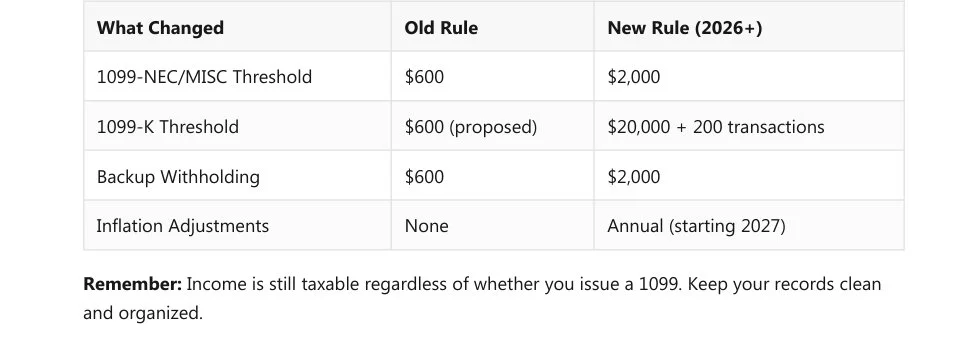
Beginning January 1, 2026, the threshold for issuing 1099‑NEC and 1099‑MISC forms rises from $600 to $2,000.
This reduces the number of forms you need to file and cuts down on administrative work.
2. 1099‑K Threshold Restored
For third‑party payment platforms (PayPal, Venmo, Stripe), the threshold returns to:
$20,000 in payments AND 200 transactions.This replaces the previously proposed $600 threshold that caused concern for gig workers and small sellers.
3. Backup Withholding Threshold Also Increases
Backup withholding (when a contractor doesn’t provide a valid TIN) now applies only when payments exceed $2,000.
Previously, it applied at $600.
4. What Stays the Same
All income is still taxable, even if no 1099 is issued.
Businesses must still:
Maintain accurate payment records
Collect W‑9s
Track totals throughout the year
Stay organized for audits
5. Timeline
2025 tax year (filed in early 2026): Old $600 threshold still applies.
2026 tax year (filed in early 2027): New $2,000 threshold begins.
6. Inflation Adjustments
Starting in 2027, the $2,000 threshold will be adjusted annually for inflation.
7. How Leo Aguilera Balanced Books Can Help
The document ends with a service pitch explaining how your business can:
Track contractor payments
Collect and verify W‑9s
Prepare and file 1099s
Keep records audit‑ready
Provide ongoing bookkeeping support
If you've been dreading 1099 season, we've got some good news for you. The IRS has officially raised the 1099 reporting threshold: and it's going to make your life a whole lot easier.
Starting with payments made in 2026, you won't need to issue a 1099 unless you've paid a contractor or vendor more than $2,000 (up from the old $600 limit). That's a big deal for small business owners who've been buried in paperwork for relatively small payments.
Let's break down exactly what changed, what stayed the same, and what you need to do to stay com pliant without losing your mind.
The Big Change: $600 Becomes $2,000
For years, the magic number was $600. If you paid a contractor, freelancer, or vendor $600 or more during the tax year, you had to send them (and the IRS) a 1099 form. Simple in theory: but a headache in practice when you're juggling dozens of small payments.
Now, that threshold has jumped to $2,000 for payments made on or after January 1, 2026.
This applies to:
1099-NEC (Non-Employee Compensation) : what you send to independent contractors
1099-MISC (Miscellaneous Income) : for things like rent payments, prizes, and other reportable in come
What does this mean for you? Fewer forms to prepare, fewer W-9s to chase down, and less time spent on administrative busywork. You can finally focus on running your business instead of drowning in tax paperwork.

What About 1099-K? (PayPal, Venmo, Stripe Users, Listen Up)
If you accept payments through third-party platforms like PayPal, Venmo, or Stripe, there's more good news.
The 1099-K threshold has been restored to $20,000 in payments AND 200 transactions. This is a major relief compared to the proposed $600 threshold that had gig workers and small sellers panicking.
So if you're selling products online, accepting digital payments, or doing freelance work through payment apps, you won't receive a 1099-K unless you hit both of those benchmarks. That takes a lot of pressure off small sellers and side hustlers.
Backup Withholding Got Easier Too
Here's a detail that often flies under the radar: backup withholding.
When a contractor or vendor doesn't provide you with a valid Tax Identification Number (TIN), you're technically supposed to withhold 24% of their payment and send it to the IRS. It's called "backup withholding," and it's been a compliance nightmare for small businesses.
The good news? The backup withholding threshold has also increased to $2,000. That means you don't need to worry about withholding on smaller payments to vendors with missing or incorrect TINs: unless those payments exceed $2,000.
One less thing to stress about.
What Stays the Same (Don't Skip This Part)
Before you start celebrating, there's one critical thing that hasn't changed: all income is still taxable, whether or not a 1099 is issued.
Just because you don't have to send a 1099 for a $1,500 payment doesn't mean that contractor is off the hook for reporting that income. And it doesn't mean you can ignore proper record-keeping.
Here's what you still need to do:
Keep accurate records of all payments to contractors and vendors
Collect W-9 forms from anyone you might need to issue a 1099 to (even if you're not sure yet)
Track payment totals throughout the year so you know when you've crossed the $2,000 thresh old
Stay organized so you're not scrambling in January
The IRS may not require a form for smaller payments, but they still expect you to maintain proper documentation. If you're ever audited, you'll need to show your records are in order.

Timeline: When Does This Actually Take Effect?
This is where it gets a little tricky, so pay attention.
For the 2025 tax year (forms you file in early 2026): The old $600 threshold still applies. If you paid a contractor $600 or more in 2025, you need to send them a 1099 by January 31, 2026.
For the 2026 tax year (forms you file in early 2027): The new $2,000 threshold kicks in. Only pay ments made from January 1, 2026 forward fall under the new rules.
So if you're prepping 1099s right now for last year's payments, you're still working with the $600 limit. The relief comes next year.
Future-Proofing: Inflation Adjustments Are Coming
Starting in 2027, the IRS will adjust the $2,000 threshold annually for inflation. This means the thresh old could gradually increase over time, keeping pace with rising costs and reducing your filing burden even further.
It's a small but meaningful change that shows the IRS is (finally) recognizing the administrative strain on small businesses.
A Quick Recap: What You Need to Know
Let's sum it up so you can get back to running your business:

How Leo Aguilera Balanced Books Can Help
Look, we get it. Even with a higher threshold, 1099 prep can still feel overwhelming: especially when you're trying to run a business, manage employees, and keep customers happy.
That's where we come in.
At Leo Aguilera Balanced Books, we handle 1099 preparation and filing so you don't have to. We'll make sure you're compliant, organized, and stress-free when tax season rolls around.
Here's what we can do for you:
Track contractor payments throughout the year so nothing slips through the cracks
Collect and verify W-9s from all your vendors and contractors
Prepare and file 1099 forms accurately and on time
Keep your records organized in case you ever need them for an audit
Answer your questions so you always know where you stand
You've got enough on your plate. Let us take the 1099 headache off your hands
Ready to Simplify Your Bookkeeping?
If you're tired of chasing paperwork and worrying about compliance deadlines, we'd love to help. Our team specializes in making bookkeeping and tax prep simple, accurate, and stress-free for small business owners just like you.
Get in touch with us today to learn how we can support your business: whether it's 1099 filing, pay roll, bookkeeping catch-up, or year-round financial peace of mind.
You focus on growing your business. We'll handle the numbers.