Are You Making These Common QuickBooks Bookkeeping Mistakes?

Let’s be honest: you probably didn’t start your business because you were passionate about data entry and bank reconciliations. You started it because you have a product or service that people love. However, as your business grows, the "behind the scenes" financial work becomes just as important as the front-facing sales. Most small business owners turn to QuickBooks because it’s the gold standard for accounting software. It’s powerful, it’s intuitive, and it can save you hours of work: if it’s set up and maintained correctly.
Unfortunately, QuickBooks can also be a "double-edged sword." Because it makes certain tasks look easy, it’s very common for users to fall into traps that lead to messy books, inaccurate financial statements, and a massive headache come tax season.
At Leo Aguilera Balanced Books, we see these mistakes every day. We are QuickBooks Advanced Certified ProAdvisors (for both Online and Desktop), and we’ve helped businesses from our home base in Montague, MI, and all across the country clean up their records.
If you’ve ever looked at your Profit & Loss statement and thought, "That doesn't look right," you might be making one of these common QuickBooks bookkeeping mistakes.

1. The "Commingling" Headache: Mixing Personal and Business Funds
It starts innocently enough. You’re at the grocery store, you realize you left your personal debit card at home, so you swipe your business card for the week's groceries. Or maybe you use your personal credit card to buy a new laptop for the office because it has better rewards points.
In the world of accounting, this is called "commingling," and it is one of the biggest mistakes a business owner can make.
Why it’s a problem:
When you mix personal and business funds, you blur the lines of your "corporate veil." If your business is an LLC or a Corporation, one of the main benefits is protecting your personal assets from business liabilities. If you treat your business bank account like a personal piggy bank, a court could decide that your business isn't actually a separate entity, putting your personal assets at risk.
From a bookkeeping perspective, it makes it incredibly difficult to track your true business profitability. Every time we have to sift through "Starbucks," "Netflix," and "Target" transactions to find the actual business expenses, it takes time and increases the chance of errors.
The Solution:
Keep them separate. Period. If you accidentally use the wrong card, record it immediately as an "Owner’s Draw" or "Owner’s Investment" rather than an expense. If you need to pay yourself, transfer a lump sum from the business account to your personal account and then spend it from there.
2. Double Trouble: Duplicate Entries from Bank Feeds
The QuickBooks bank feed is a beautiful thing. It pulls your transactions directly from your bank, so you don't have to type everything in manually. However, many users don't realize that the bank feed is a suggestion tool, not an automatic recording tool.
The most common error we see is users "Adding" a transaction from the bank feed when they have already manually entered a check or an invoice payment in QuickBooks.
How it happens:
Imagine you write a check to a vendor and record it in QuickBooks. A few days later, that check clears the bank and shows up in your bank feed. If you click "Add" instead of "Match," QuickBooks creates a second transaction. Now, you’ve recorded that expense twice, making your profit look lower than it actually is and making it impossible to reconcile your bank account.
The Solution:
Slow down. When you’re looking at your bank feed, look for the green "Match" icon. If QuickBooks doesn't find a match, ask yourself if you’ve already entered this transaction. If you have, you need to find out why they aren't matching (usually a date or amount discrepancy) rather than just hitting "Add."
3. The Ghost of Finances Past: Forgetting Monthly Reconciliations
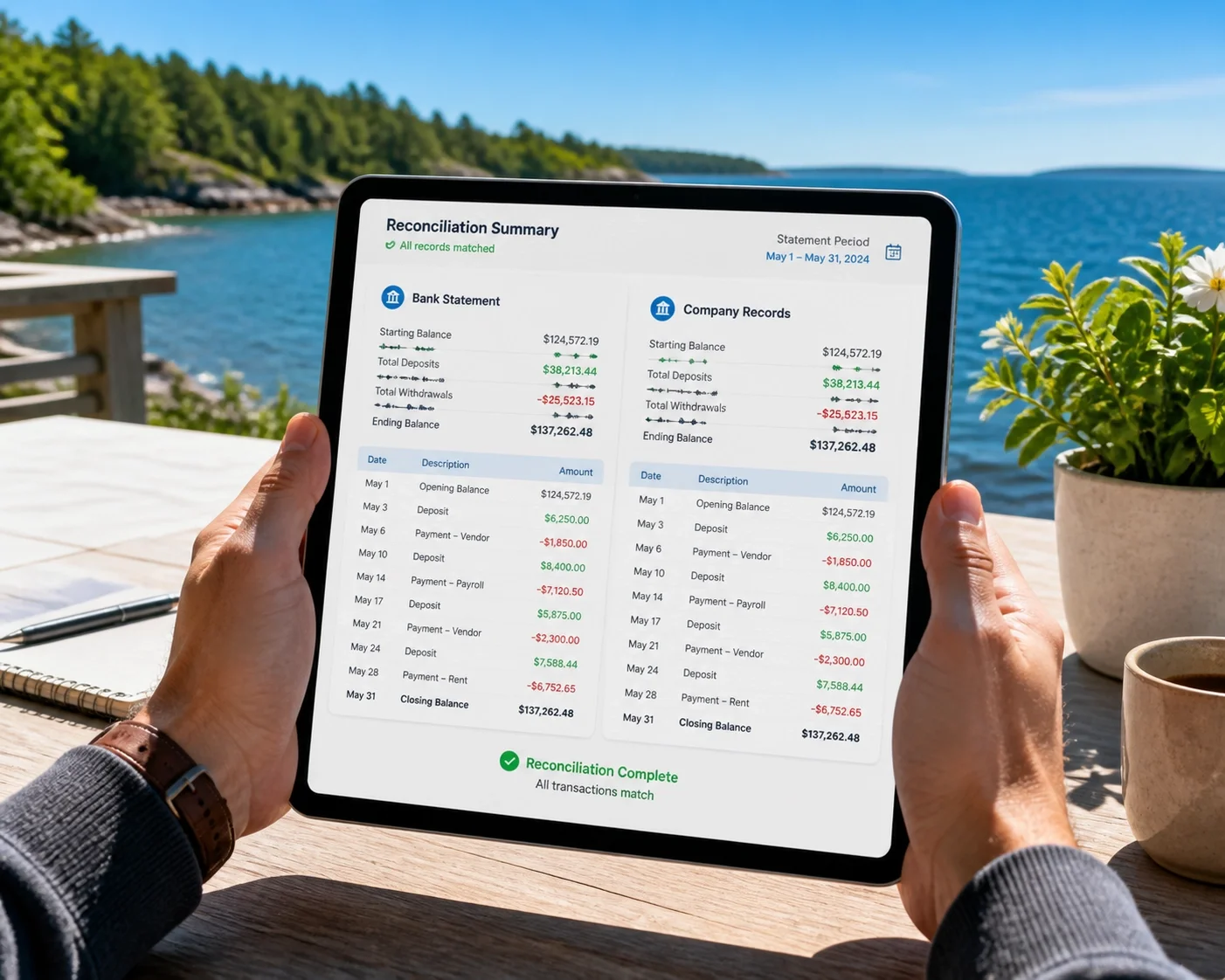
If there is one task that business owners dread more than any other, it’s reconciliation. But here’s the truth: if you aren't reconciling, your books are just a guess.
Reconciliation is the process of comparing your QuickBooks records against your actual bank or credit card statements to ensure they match perfectly. It’s how you catch those duplicate entries we just talked about, find missing transactions, and spot bank errors or even fraudulent activity.
The Danger Zone:
We’ve seen clients go six months or even a year without reconciling. By the time they realize their "Bank Balance" in QuickBooks is $20,000 off from their actual bank balance, it’s a nightmare to go back and find out where the error occurred. This often leads to a "clean-up" project that is much more expensive than regular monthly maintenance.
The Solution:
Set a date on your calendar every month: maybe the 10th: to sit down with your bank statement and reconcile every account. It should take minutes if you’re doing it every month. If it takes hours, something is wrong with your workflow. This is exactly where our services can save you time and stress.
4. The "Junk Drawer" of Bookkeeping: Categorization Errors
QuickBooks has a few default accounts that are the bane of every bookkeeper's existence: "Uncategorized Expense," "Uncategorized Income," and "Ask My Accountant."
When you aren't sure where a transaction goes, it’s tempting to just stick it in one of these categories and "deal with it later." The problem is that "later" usually means April 14th, when you’re trying to hand your books over to your tax preparer.
Why it hurts:
Inaccurate Reports: If $5,000 of your spending is sitting in "Uncategorized Expense," your Profit & Loss statement won't tell you how much you're actually spending on marketing, rent, or supplies. You can't make good business decisions with bad data.
Audit Risk: The IRS doesn't like seeing large amounts in uncategorized accounts. It looks like you're trying to hide something or that you don't have a handle on your finances.
The Solution:
Create a clear Chart of Accounts and stick to it. If you aren't sure where something goes, look at where you put similar transactions in the past. And if you still aren't sure, that’s a great reason to reach out to a professional.

5. Setting Up the Chart of Accounts Incorrectly
Your Chart of Accounts (COA) is the foundation of your entire financial system. If the foundation is shaky, the whole house will eventually lean. Many business owners simply use the default COA that QuickBooks provides, which might be too generic for their specific industry.
Common COA mistakes include:
Using the wrong account type: Categorizing a loan as an "Expense" rather than a "Liability." (This will make you look much less profitable than you are!)
Too many accounts: Having a separate category for "Pens," "Paper," and "Staplers" instead of one "Office Supplies" account. This makes your reports 10 pages long and impossible to read.
Missing Sub-accounts: Not using sub-accounts to track specific details under a broader category.
The Solution:
Tailor your COA to your business. It should be detailed enough to give you insights but simple enough to manage. As Advanced Certified ProAdvisors, we specialize in setting up custom frameworks that make sense for your specific industry.
6. Ignoring the "Balance Sheet"
Most business owners only look at their Profit & Loss (P&L) statement. They want to know how much money came in and how much went out. While the P&L is important, the Balance Sheet is where the "skeletons" usually hide.
If you have a negative balance in a bank account that actually has money in it, or if your "Accounts Receivable" shows that customers owe you money from three years ago, those are signs of bookkeeping errors. These errors might not show up on your P&L, but they mean your books are inaccurate.
The Solution:
Review your Balance Sheet at least once a quarter. Look for things that don't make sense: like negative liabilities or assets that you no longer own.
Why a QuickBooks ProAdvisor Makes the Difference
QuickBooks is a tool, and like any tool, it’s only as good as the person using it. You wouldn't use a professional-grade kiln without knowing how to control the temperature, and you shouldn't manage your business finances without a clear understanding of accounting principles.
At Leo Aguilera Balanced Books, we don't just "do the books." We partner with you to ensure your financial data is a tool for growth, not a source of stress.
Based in Montague, MI, we love supporting our local West Michigan community, but thanks to cloud technology, we serve clients nationwide. Whether you use QuickBooks Online or prefer the traditional QuickBooks Desktop, our Advanced Certification means we have the deep technical knowledge to handle the most complex "clean-up" jobs or set up a streamlined system from scratch.
Ready to Stop Guessing?
Are you worried that your books might have some of these common mistakes? Don't wait until tax season to find out. A small error today can become a massive problem 12 months from now.
We offer a FREE 15-minute consultation to discuss your current situation and see how we can help you achieve financial clarity. Whether you need a one-time clean-up, basic monthly support, or advanced advisory services, we are here to help.
Let’s get your books balanced so you can get back to doing what you love. Contact us today to schedule your chat!